




Wireless remote control with encoder for NC Studio WHB03B







 Payment on account
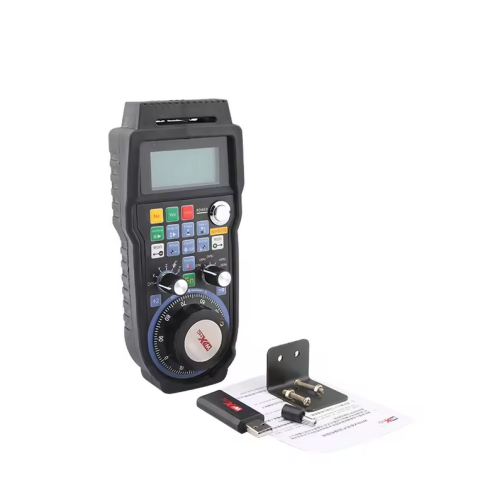
The wireless control panel WHB03B for the NCStudio CNC machine is used for convenient control of CNC machines that operate under the control of industrial computers. The remote control adds convenience due to freedom of movement with it and gives the feeling that you are working with the machine directly, and not through pressing buttons on the keyboard and mouse.
WHB03B remote control design:
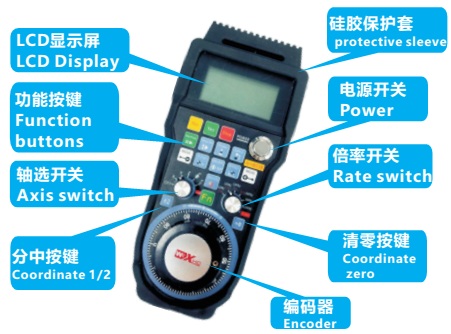
To turn on the WHB03B remote control, you must first open the battery box, install two AA batteries in the box according to the polarity, and close the box. Then you need to press the silver button, which is located in the upper right part of the remote control. The remote control will not turn on if the battery charge is too low. It is advisable to install new batteries, because The device is very sensitive when the battery is low and may not turn on.
After turning on the remote control, the quality of the connection signal between the WHB03B and the USB adapter will be displayed in the upper left corner of the display; if there is no signal from the USB adapter, the rflost icon will be displayed.
Launching the remote control with the NCStudio program:
Before using the WHB03B remote control, you need to have NCStudio installed on your computer. When the NCStudio program is installed, you can install drivers for the remote control and the XHCEN utility. To do this, from the driverXHC HB03B English Driver-v3.90-2018.6.6 CD folder that comes with the kit, you need to run the executable file XHC-HB03-EnglishDriver-V3.90.exe and follow the installer’s instructions. If the file does not run, copy it to any location on your hard drive and try to run it again. Then, in a Windows operating system, you need to go to C:Program FilesXHCEN and run the executable file HB03BEN.exe of the XHCEN utility. After turning on, the XHCEN utility icon will appear in the program tray or so-called. tray. Also, the XHCEN utility will automatically be added to Windows startup.
After these steps, you need to connect the supplied USB adapter to the computer’s USB port. The operating system will automatically find and install drivers for the USB adapter and identify it as a “USB input device”. The XHCEN utility icon will turn gray. After launching the NCStudio program, the XHCEN utility icon will turn red.
Launching the remote control with the MACH3 program:
Before using the WHB03B remote control, you must have the MACH3 program installed on your computer. When MACH3 is installed, there should be a Plugin folder in the root folder of the program; if there is none, create it. Then you need to download and copy the ShuttlePro.dll file to the Plugin folder of the MACH3 program.
To install the macro file, you need to download and copy the files m930.m1s, m933.m1s, m999.m1s to the MACH3 ..Mach3macrosMach3Mill folder. After these steps, connect the USB adapter to the computer’s USB port. Links for downloading files will be attached at the end of the description.
The operating system will automatically find and install drivers for the USB adapter and identify it as a “USB input device”.
After turning on the remote control, the quality of the connection signal between the WHB03B and the USB adapter will be displayed in the upper left corner of the display; if there is no signal from the USB adapter, the rflost icon will be displayed.
When the USB adapter is connected and the remote control is turned on, you need to launch the MACH3 program, go to the “Config” menu, the “ConfigPlugins” submenu. In the list of plugins there will be a line associated with ShuttlePro and a green checkbox on the left. If there is no green checkbox, you need to try to install it manually. A green checkmark means that MACH3 has synchronized with the USB adapter. Then you need to press the “Config” button, which is on a yellow background to configure the remote control buttons. After this, you can begin setting up the buttons on the WHB03B remote control.
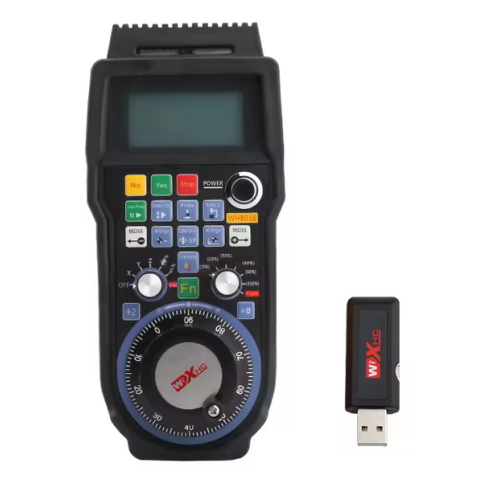
The WHB03B remote control is equipped with already programmed buttons to which macros can be assigned, two switch knobs, and a handwheel handle. Macros can also be attached to the switch handle and handwheel handle.
The body of the WHB03B remote control is made of impact-resistant plastic and placed in a silicone case. The remote control is supplied with mounting hardware.
Characteristics:
manufacturer: XHC;
model: WHB03B;
work under the control of the program: MACH3, NCStudio;
fast switching: between 3 axes (X, Y, Z), spindle speed, feed speed;
support: macros;
display: displaying machine and working coordinates of the axes, step sizes;
manual encoder control: 100 pulses/revolution;
operating frequency: 433 MHz ISM (transmission power 10 dBm, reception sensitivity -98 dBm);
channels: 64 channels in 1 MHz steps;
interface: implying operation in an environment with significant interference;
working radius: up to 40 m (in ideal conditions);
power supply: two AA batteries;
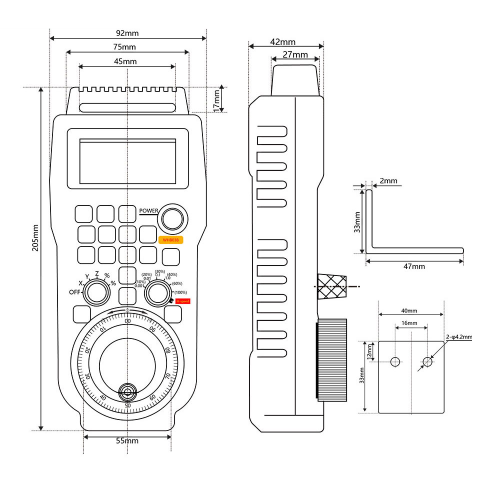
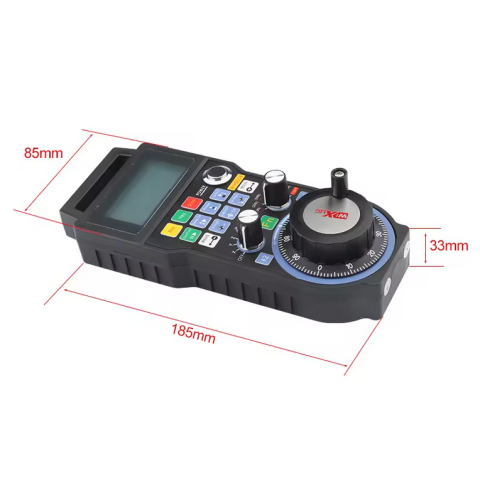
dimensions: 210 x 90 x 55 mm;
remote control weight: 457 g;
set weight: 715 g.
Contents of delivery:
wireless control panel WHB03B for CNC machine NCStudio Mach3 in cardboard packaging;
Silicone Case;
wireless USB transceiver;
CD disk;
fastening fittings;
User manual in Chinese and English.
There are no reviews for this product, be the first to leave your review.
No questions about this product, be the first and ask your question.